One guide for each location
Keep entrance, check-in, pickup and unloading instructions together for each warehouse, yard or plant.

For warehouses & site operators
Create pickup and delivery guides for your locations. Share the right gate, check-in steps and loading or unloading point with visiting drivers.
30-day company trial · No payment details required.
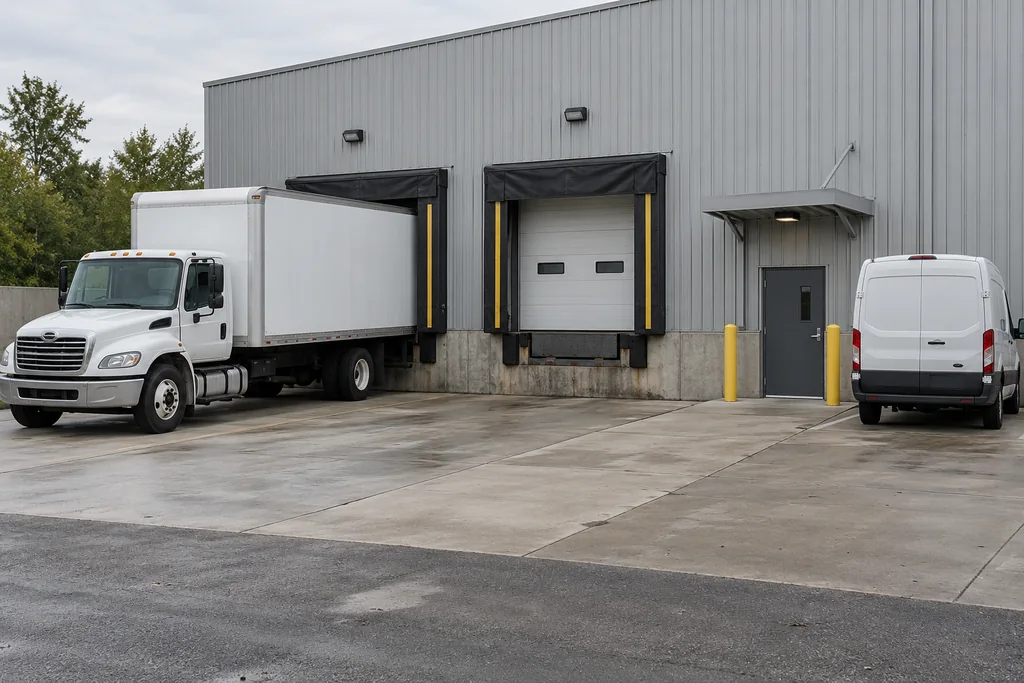
Welcome drivers with confidence
Keep entrance, check-in, pickup and unloading instructions together for each warehouse, yard or plant.
Send a reusable site link before arrival, or put a QR sign at the gate or pickup area. Visiting drivers need no account.
Update instructions, request site reviews and handle corrections. Revoke a shared link when it is no longer needed.
Included guide tools
Create a guide manually, import CSV or Excel, or use AI-assisted import from a PDF, document picture or pasted instructions.
Review the extracted details and any completeness warnings. Choose useful pictures, zoom and crop them, then add arrows or lines. Preview the complete driver guide before publishing. An imported draft stays private until you publish it.
Offer English, French, Punjabi, Spanish and German. Save instructions and pictures on the device before travelling.
Drivers can return to the original guide. AI translations and company-reviewed translations are identified separately. Addresses, product names and photo captions stay in their original form. Offline copies last up to 24 hours, or less when a link expires or a scheduled notice changes. Refresh before each trip: offline copies cannot check live changes or revoked access.
Use temporary delivery links or reusable site QR signs. Assign company roles and review updates together.
Request site reviews and handle driver corrections in your workspace. Signed-in company members can keep their own private notes and photos. Anyone with a shared guide link can view it while access remains available. Maps help locate a saved entrance; they do not provide truck-specific or dangerous-goods routing. Follow site instructions and posted restrictions.
Inside an Invelya guide
See how site instructions and photos come together for a driver. These screenshots are taken from our Invelya Demo Plant guide.
Show the gate and the approach instructions together, so drivers know what to look for.
 View full screenshot
Put the receiving point and vehicle position alongside the site’s delivery instructions.
 View full screenshot
Keep the exit photo and departure instructions in the same guide, ready when the delivery is finished.
 View full screenshot
Fictional demonstration site with illustrative images. The live guide opens without an account.
Open demo guideSimple company pricing
A package for your own locations. No signup fee or charge per driver. Visiting drivers view shared guides free, without creating an account.
One site guide per active physical location. Multiple pickup or delivery types within that guide are included. Drafts and archived locations do not use active capacity.
Month-to-month. No annual commitment. Prices are before applicable taxes.
For your warehouses and sites
CAD 79.00 / month
After your 30-day trial · before tax
For your warehouses and sites
CAD 149.00 / month
After your 30-day trial · before tax
Your trial does not automatically become paid. Near trial end, a company manager reviews and accepts a separate paid agreement. The first invoice starts at trial end if accepted early, or on reactivation if accepted later.
To cancel renewal, email hello@invelya.ca before your next billing period. Paid access continues until the end of your current paid month or year.
Create your own guides with no setup fee. Optional assistance converting existing site information starts at CAD 300.00 as a one-time service. Scope and a written quote are agreed before work begins.
A few useful answers
One published site guide represents one physical location. Multiple pickup or delivery types inside that guide are included. Drafts and archived locations do not use active capacity.
Yes. Send a reusable site link with pickup or delivery instructions, or print a QR sign for the gate or receiving area. Anyone with that link can view the published guide without an account. Revoke the link when needed and replace any old signs.
A person managing your company guides or delivery team. They become the first company manager and can invite other company members. Invited drivers should sign in with their existing account.
No. Invelya guides open in a browser on a phone, tablet or computer. A shared guide link can be viewed without creating an account.
English, French, Punjabi, Spanish and German. Drivers can switch back to the original guide. AI translations are identified separately from company-reviewed translations; addresses, product names and photo captions stay in their original form.
Yes. AI-assisted import can prepare a draft from a PDF, a document picture or pasted instructions. Check the extracted information and pictures before creating and publishing your guide. You can also import multiple sites from CSV or Excel spreadsheets.
Save the selected guide language and its pictures on the device before travelling. Saved copies last up to 24 hours, or less if a delivery link expires or a scheduled notice changes. Refresh before each trip: offline copies cannot check live changes or revoked access. Maps and other online services still need a connection.
The 24-hour demo uses fictional sites and employees in a separate playground. Its sample document import is prepared demonstration data. The 30-day company trial is your real workspace, where you can create guides and try AI-assisted import with your own site information.
A company workspace for creating site guides, adding instructions and photos, inviting your team, and reviewing driver corrections. The 30-day trial starts when you confirm your email. No payment details are required to start.
Yes. Monthly service is month-to-month with no annual commitment. Yearly service is invoiced in full for twelve months and saves the equivalent of two monthly payments at the applicable package price. Email hello@invelya.ca before renewal to cancel; access continues until the end of your current paid month or year. Your trial does not automatically become paid.
Anyone who has the guide link can view it. Share links only with the intended delivery team. Private notes and photos are available only to the signed-in member who owns them.
Open a support ticket from the support link in your workspace. Keep the conversation together and receive email notifications when there is a reply. Before signing up, contact hello@invelya.ca.
Looking for a guide library for your fleet?
Explore transport companiesUse Invelya for both? Choose Both at signup with a transport guide-library package.
A clearer arrival starts here
Questions about your operation, a plan or help converting existing site information? hello@invelya.ca